

MacBook Neo vs Chromebook for Students: Which Is Better for College?
Buying a laptop for college can get expensive fast. Between tuition, textbooks, and everything else on a student’s budget, spending over $1,000 on a computer may not make sense. That’s why the MacBook Neo vs. Chromebook debate is worth considering in 2026.
Apple’s MacBook Neo brings macOS to a lower price point, while Chromebooks remain popular for affordable, everyday computing. Both can handle college assignments, research, video calls, and online classes. However, they differ in software compatibility, performance, storage, and long-term flexibility.
The short answer: The MacBook Neo is the better all-around choice for many college students who want a laptop that can handle more demanding work. A Chromebook is still a smart buy if your budget is tight and most of your schoolwork happens in a web browser.
Here’s how to decide which one fits your college life.
MacBook Neo vs. Chromebook: Quick Comparison
| Feature | MacBook Neo | Chromebook |
|---|---|---|
| Starting price | $699 regular price; education pricing may be lower | Some models start under $200 |
| Operating system | macOS | ChromeOS |
| Best for | College, multitasking, creative projects | Web-based schoolwork and basic tasks |
| Microsoft Office | Desktop apps and web versions | Primarily web apps, with compatibility depending on your workflow |
| Google Workspace | Yes | Yes |
| Offline work | Strong support for downloaded apps and files | Possible, but depends on the app and setup |
| Storage | 256GB or 512GB SSD configurations | Varies by model, often with more emphasis on cloud storage |
| Battery life | Apple advertises up to 16 hours of video streaming | Varies by model and workload |
| Software flexibility | Broad desktop software support | Best suited to web apps and compatible Android or Linux workflows |
Prices and specifications can change. Chromebook pricing varies significantly by model. Check Apple’s MacBook Neo page and Google’s Chromebook store before buying.
1. Price: Is a MacBook Neo Worth the Extra Money?
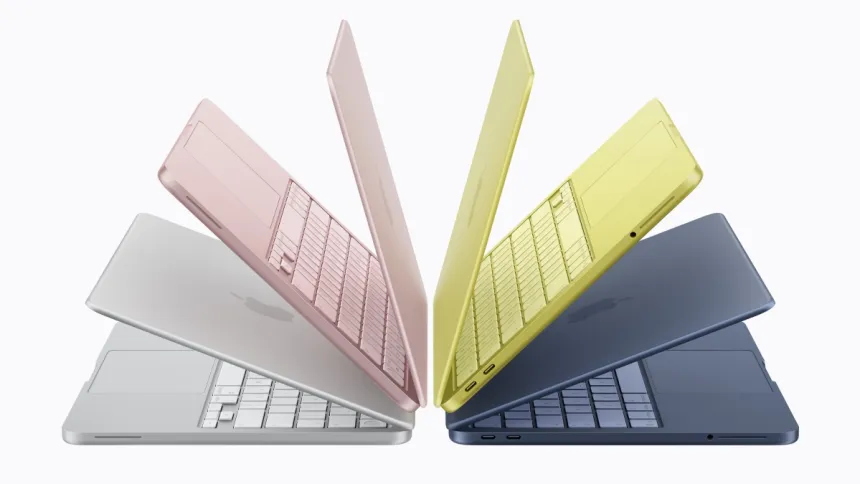
Price is where Chromebooks have a clear advantage.
You can find entry-level Chromebooks for around $200 or less, while more capable Chromebook Plus models can cost several hundred dollars. The MacBook Neo costs more upfront, with education pricing potentially reducing the difference for eligible students.
But the cheapest laptop isn’t always the cheapest solution.
A basic Chromebook may be perfectly adequate if you mainly use Google Docs, Google Slides, Canvas, email, and a browser. However, students who need desktop applications, more local storage, or software for specialized coursework may find a budget Chromebook limiting.
The MacBook Neo offers a more traditional desktop-computing experience, which could make it a better long-term purchase if your academic and career needs extend beyond browser-based work.
Winner: Chromebook for the lowest upfront cost. MacBook Neo for students who need broader capabilities.
2. Performance: Which Laptop Handles College Work Better?
Apple’s MacBook Neo uses the A18 Pro chip, with 8GB of unified memory and SSD storage options of 256GB or 512GB. It’s designed for everyday productivity, multitasking, browsing, video calls, and light creative work.
That should cover most typical college activities, including writing papers, researching online, managing spreadsheets, and working on presentations.
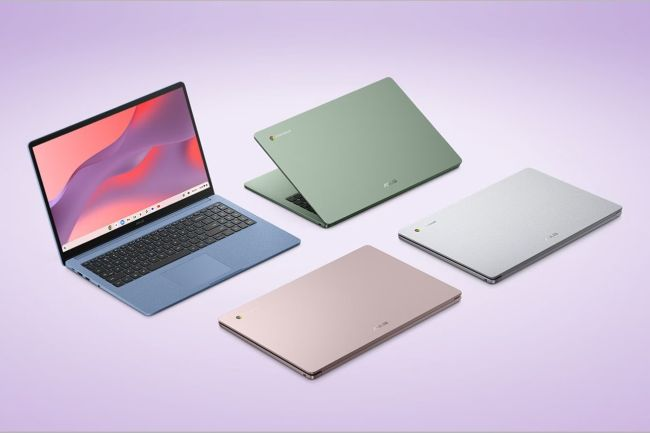
Chromebook performance is less straightforward because the category includes everything from inexpensive models with modest hardware to more powerful Chromebook Plus devices.
A low-cost Chromebook can feel perfectly responsive with a few browser tabs open but may struggle when you run many tabs, join video calls, and switch between multiple demanding web applications.
A better-equipped Chromebook can handle those tasks comfortably, so don’t assume every Chromebook is slow.
Winner: MacBook Neo for consistent everyday performance across a wider range of desktop applications. Higher-end Chromebooks can still be excellent for browser-focused work.
3. Apps and Software: Check Your College Requirements First
This is arguably the most important part of the decision.
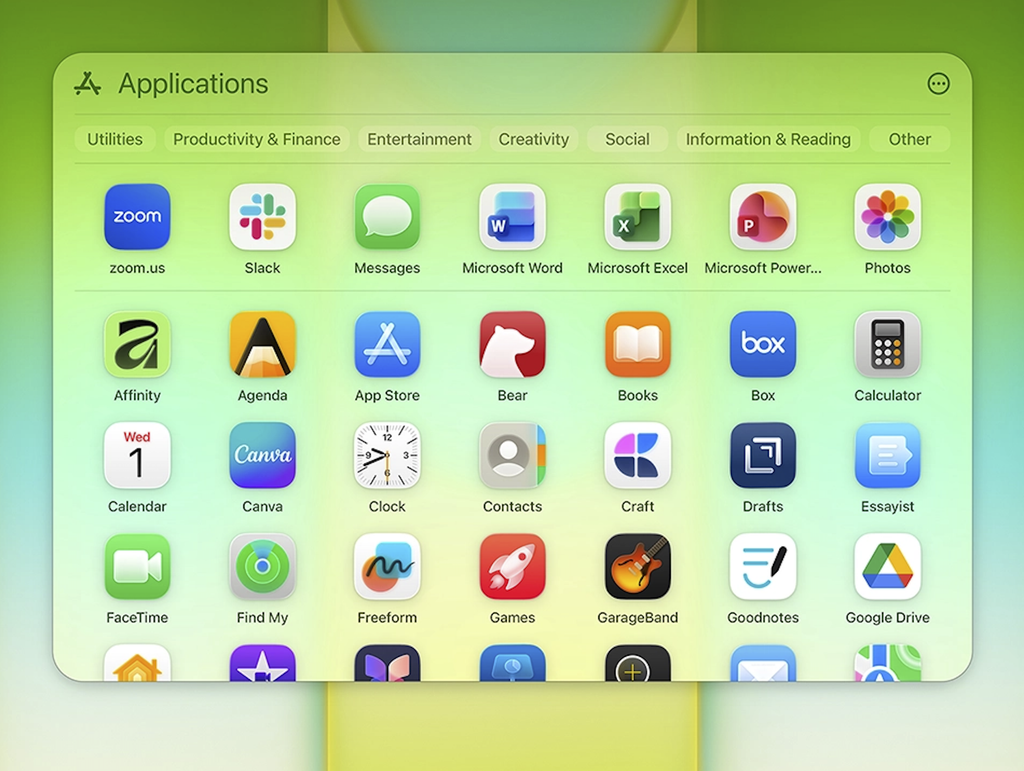
Both platforms work with Google Docs, Google Drive, Google Slides, Zoom, and many common educational services. However, compatibility becomes more complicated when your major requires specific software.
The MacBook Neo runs macOS, which supports a broad range of desktop applications. Depending on your course, this may be useful for programming, photo editing, audio production, and other creative projects.
Chromebooks are built around ChromeOS, making web applications central to the experience. Many college students can complete their entire workload using browser-based tools.
However, some desktop applications aren’t available for ChromeOS, and web versions don’t always have the same features as their desktop counterparts.
Before purchasing either laptop, check your college’s technology requirements and confirm that any mandatory software supports your chosen operating system.
Winner: MacBook Neo for software flexibility. Chromebook for students whose courses rely mainly on web apps.
4. Battery Life and Portability

A laptop that dies halfway through a day of lectures quickly becomes a problem.
Apple advertises up to 16 hours of video streaming for the MacBook Neo, although actual battery life depends on brightness, applications, network activity, and other factors.
Chromebook battery life varies by model. Some can last through a full school day, while less expensive devices may offer less endurance under demanding workloads.
Both platforms have lightweight options that are easy to carry between classes, libraries, and coffee shops. When comparing models, consider the actual weight, charging requirements, screen size, and keyboard comfort rather than relying on battery claims alone.
Winner: No universal winner. The MacBook Neo has a strong advertised battery-life figure, but a well-chosen Chromebook can also be a reliable campus companion.
5. Which Is Better for Your College Major?
Your major can make the decision much easier.
| Major or study style | Better starting point | Why |
|---|---|---|
| Business and marketing | Either | Both handle documents, spreadsheets, presentations, and research |
| English, history, and humanities | Chromebook | Web-based writing and research usually require little computing power |
| Computer science | MacBook Neo, depending on requirements | macOS supports many developer tools, but course-specific requirements matter |
| Graphic design and photography | MacBook Neo | Broader creative software support, although 8GB memory limits heavier workloads |
| Engineering and specialized STEM | Check software requirements first | Some essential applications may require Windows or a university computer lab |
| Online learning and general studies | Either | Both support common learning platforms and video calls |
One important exception: engineering, architecture, and other technical programs may require Windows-only applications. In those cases, neither laptop should be an automatic choice without checking compatibility first.
6. Long-Term Value: Which Laptop Will You Outgrow First?
A college laptop may need to last four years or longer, so think beyond your first semester.
The MacBook Neo offers local SSD storage, a desktop operating system, and access to a broad software ecosystem. These features can make it useful as your academic work becomes more complex.
Its biggest limitation is the fixed 8GB of unified memory. That is reasonable for everyday student tasks, but it may become restrictive for heavy multitasking or demanding creative workloads.
Chromebooks can remain useful for years when the workload is simple. However, their value depends heavily on the model, hardware configuration, and remaining ChromeOS update support.
Before buying a Chromebook, check its automatic update expiration date. This is particularly important for inexpensive models that may already be several years old.
Winner: MacBook Neo for broader everyday flexibility, provided its memory and software limitations fit your needs. A well-chosen Chromebook can still offer excellent value for a simpler workload.
Final Verdict: Should College Students Buy a MacBook Neo or Chromebook?

Choose the MacBook Neo if you want a more versatile laptop for college, plan to use desktop applications, or expect your computing needs to grow beyond basic assignments. It’s especially appealing if you qualify for education pricing and want to stay within Apple’s ecosystem.
Choose a Chromebook if keeping costs low is your top priority and your coursework mainly involves Google Workspace, web research, online learning platforms, and video calls. You don’t need to spend more simply because a laptop carries a premium brand name.
Ultimately, the best college laptop isn’t necessarily the most powerful one. It’s the one that runs your required software, lasts through your school day, and doesn’t stretch your budget unnecessarily.
Our recommendation: If your budget is around $200 to $300, start by comparing Chromebooks. If you can comfortably spend more and want a broader range of applications, the MacBook Neo deserves a serious look. For specialized majors, check your school’s software requirements before making the final decision.
Frequently Asked Questions
Is a MacBook Neo better than a Chromebook for college?
For many students, yes. The MacBook Neo offers broader desktop software compatibility and a more flexible computing environment. A Chromebook can be the better choice for students who mainly use browser-based applications and want to spend less.
Can you use Microsoft Word on a Chromebook?
Yes. Microsoft Word is available through the web, and students can use Microsoft 365 online. However, the web experience differs from the full desktop application, so confirm that it supports the features your coursework requires.
Is a Chromebook enough for a four-year college degree?
It can be, particularly for degrees focused on writing, research, and web-based learning. Check your course requirements, the device’s update support, and its storage before committing to one for your entire degree.
Is the MacBook Neo good for computer science students?
It can be suitable for many programming courses, but requirements vary. Students should check their program’s supported development tools, operating systems, and memory recommendations before buying.
Should I buy a Chromebook or MacBook Neo for online classes?
Both can handle common online learning tasks, including video calls, assignments, and web research. Choose based on your budget, required applications, and how much local storage and desktop software you need.
Sources
- Apple: MacBook Neo
- Apple: MacBook Neo Technical Specifications
- Google: Shop Chromebooks
- Google for Education: Chromebook Devices
- Google: Chromebook Automatic Updates